Dolly login: How to sign in to your account
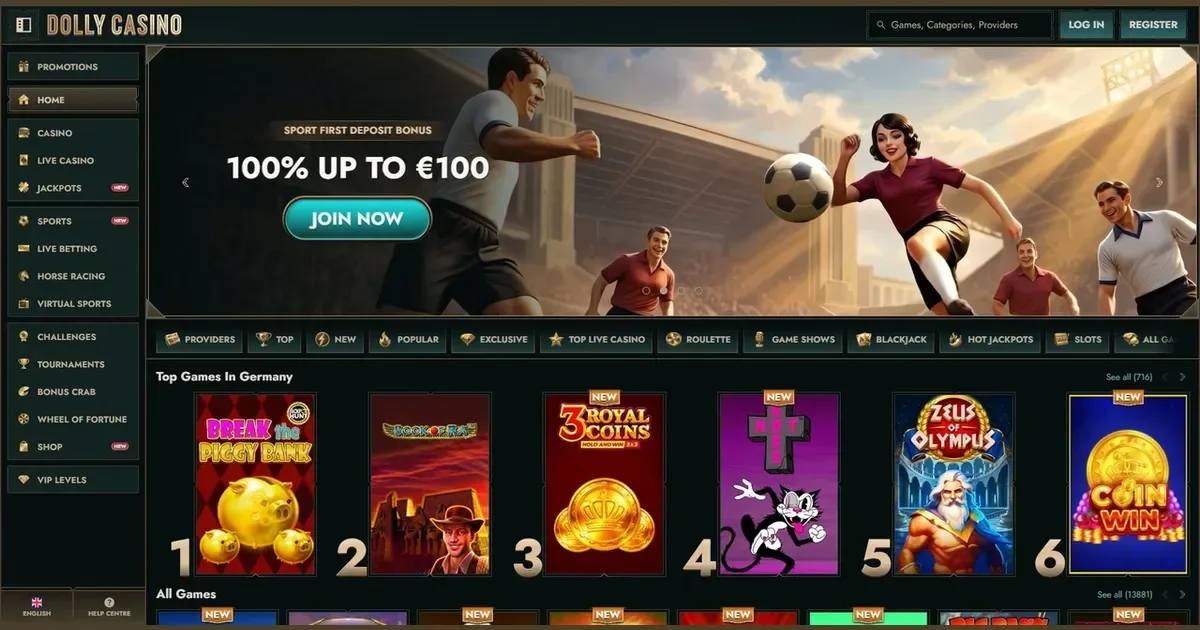















Your account at Dolly is operated by Rabidi N.V., licensed under Curaçao eGaming. This portal provides information only — we cannot access, restore or unblock any account. For account issues, contact the operator directly.
Signing in to your Dolly account
Access your account through the operator's site at dollycasino.io. The process takes three steps:
- Open the operator's site in your browser.
- Click the sign-in button and enter the email address and password you chose when registering.
- Confirm your details to reach your account dashboard.
If you don't have an account yet, registration takes place at the operator's site too.
Recovering a forgotten password
The operator provides a password reset route. On the sign-in page, select the password-recovery option. You'll receive a reset link at the email address you used when registering.
If you no longer have access to that email address, contact the operator's support team at [email protected]. They'll ask for verification documents to confirm your identity before issuing new credentials.
Signing in from a phone
Use the same account credentials on any device. Open the operator's site in your mobile browser, tap the sign-in button and enter your email and password. The account works identically on desktop and mobile.
Dolly offers a progressive web app (PWA) that provides an app-like experience without requiring a download. Access it through your mobile browser and add it to your home screen if prompted.
Common reasons sign-in fails
When access is refused, the cause is usually one of these:
- Wrong credentials: Check your email address for typos and ensure your password is entered exactly as set, including capital letters.
- Caps Lock: Passwords are case-sensitive; ensure Caps Lock is off.
- Unverified account: Some accounts require email confirmation before first sign-in. Check your inbox for a verification link from the operator.
- Browser session issue: Clear your browser's cache and cookies, then try again.
- Self-exclusion in force: If you set a self-exclusion period, access remains blocked until that period ends. Contact GamCare at 0808 8020 133 for free support.
Why an account gets blocked
Access restrictions happen for specific reasons, and each has its own resolution:
| Cause | What happens |
|---|---|
| Verification required | The operator requests identity and address documents for higher withdrawals or unusual transactions. Upload the documents through your account section to restore full access. |
| Self-exclusion | If you set a temporary or permanent self-exclusion, the account stays closed for the chosen period. This cannot be reversed early. |
| Suspected fraud or bonus abuse | The operator may suspend access while investigating. Contact support for details. |
| Long inactivity | Accounts unused for extended periods may be suspended. Contact the operator to reactivate. |
Who to contact when you need help
The operator's support team handles all account issues. Reach them through live chat or by email at [email protected]. Support is available 24/7.
Before writing in, have these details ready:
- The email address on your account
- When the problem started
- The exact message shown on screen, if any
The more specific your description, the faster support can resolve it.
Keeping your access safe
Sign in only on the operator's own address — dollycasino.io — typed into your browser or reached through a bookmark you saved yourself. Never follow a link in an email or message claiming to be from the operator; phishing attempts use look-alike addresses.
Use a password you don't use anywhere else. If one site is compromised, a unique password protects your account here. On a device shared with others, always sign out when you finish.
Gambling should be entertainment, not an obligation. You must be 18+ to access this site. If play ever stops feeling enjoyable, free and confidential support is available at BeGambleAware.org or by calling the National Gambling Helpline on 0808 8020 133 (24/7, free from UK landlines and mobiles). Use the operator's deposit and loss limits to stay in control, and consider GamStop (gamstop.co.uk) for free self-exclusion across all UK-licensed sites.
Access to this site is restricted to persons aged 18 and over (18+). We want your play to stay enjoyable — for free, confidential support, visit BeGambleAware.org.
Frequently asked questions
What do I need to sign in to my Dolly account?
You need the email address and password you chose when you registered. Open the operator's site, click the sign-in button and enter your credentials. The same account works on desktop and mobile.
What should I do if I've forgotten my password?
Use the password recovery option on the sign-in page. The operator will send a reset link to your registered email address. If you no longer have access to that email, contact support at [email protected] with identity documents to verify your account.
Why won't my login work?
Check your email address for typos and ensure your password is entered exactly as set, with correct capitalisation. If Caps Lock is on, turn it off. Clear your browser's cache and cookies if the problem persists. An unverified account or an active self-exclusion can also block access.
Can I sign in from my phone?
Yes, use the same credentials in your mobile browser. Dolly offers a progressive web app that works like a native app without requiring a download. Add it to your home screen for quicker access.
Game Providers